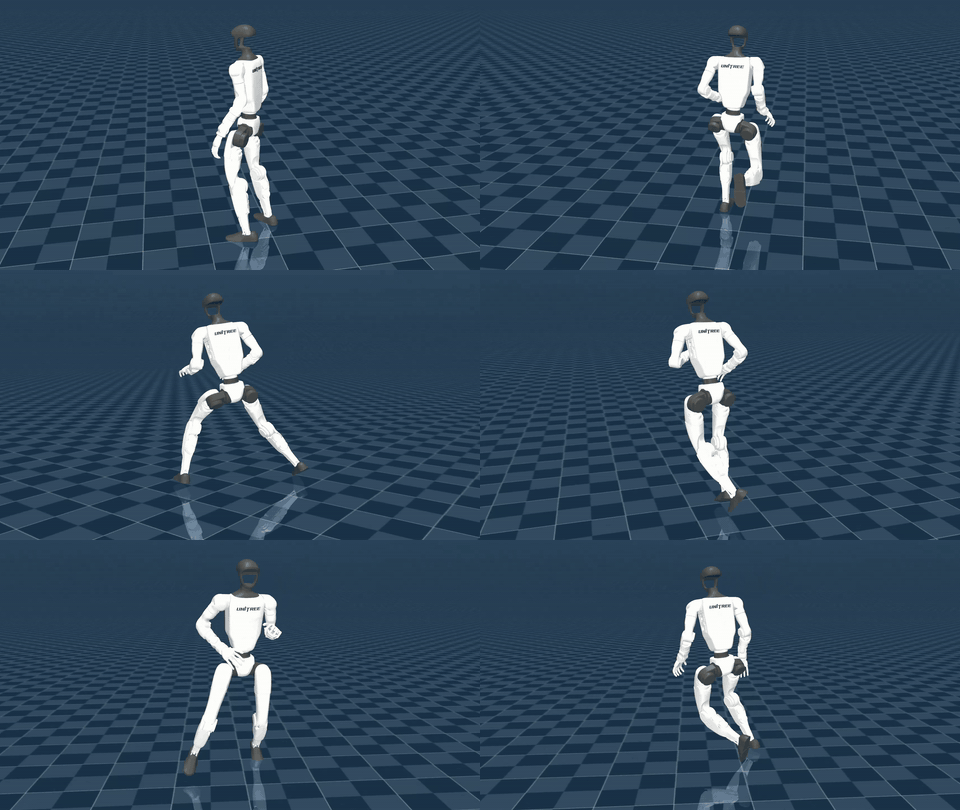
The fastest way to feel what a 15,000 FPS motion model means: a Unitree G1 in the MuJoCo viewer that answers your keyboard in real time. Prerequisite: a finished setup with real checkpoints (not 1 KB pointers).
Launch
DISPLAY=:1 python scripts/interactive_demo_g1.py
Official demo screencast, hosted by NVIDIA.
Hold the left mouse button and drag to change the camera look-at direction; right-click-drag rotates the camera, which also rotates what WASD means (movement is camera-relative).
Movement controls
Key
Action
W
Move forward
A
Move left
S
Move backward
D
Move right
Without pressing a style key, the default locomotion is: idle (no movement keys), walk (WASD pressed).
Motion styles (11 keys)
Press a style key, then steer with WASD. Each style is generated zero-shot by the same model — no per-style switch in code:
Key
Style
V
Slow walk
Z
Hand crawling
X
Walk boxing
B
Elbow crawling
R
Stealth walk
T
Injured walk
C
Walk stealth (crouched)
E
Happy dance walk
F
Zombie walk
G
Gun walk
Q
Scared walk
Stated limitation: Crawling modes (Z hand crawling and B elbow crawling) currently do not support side-only directions.
After completing setup, run: DISPLAY=:1 python scripts/interactive_demo_g1.py from the motionbricks/ directory. The MuJoCo viewer opens with the Unitree G1; drive it with WASD for movement and letter keys for motion styles, and hold the left mouse button to steer the camera.
Which keys control the G1 demo?
WASD moves relative to the camera. Style keys: V slow walk, Z hand crawling, X walk boxing, B elbow crawling, R stealth walk, T injured walk, C crouched stealth walk, E happy dance walk, F zombie walk, G gun walk, Q scared walk. Without a style key the default is idle when no movement key is pressed and walk when WASD is pressed.
Why does the crawling style not move sideways?
It is a stated limitation, not a bug in your install: the crawling modes (Z hand crawling, B elbow crawling) currently do not support side-only directions in the preview release.
The demo window opens but keys do nothing.
On Linux keep the terminal focused rather than the MuJoCo window (the X11 key-grab workaround), and make sure python-xlib is installed. On Wayland, macOS or Windows some MuJoCo shortcuts conflict with the controller keys — same workaround, keep the terminal focused.